

Article Settings
Every blog article comes with its own customizable settings.
How to Access Article Settings:
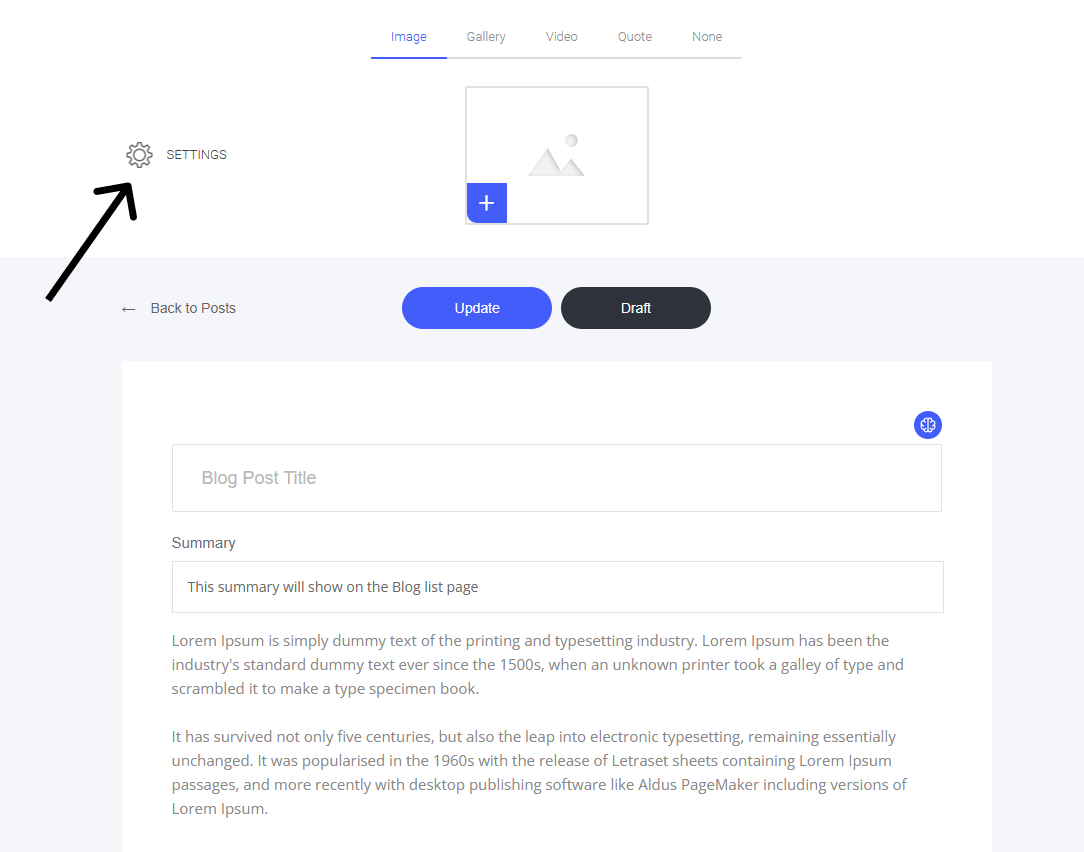
Open the Blog Article – Navigate to the post you want to modify.
Locate the Settings Cog – Positioned in the top left corner of the editor.
Click to Open – Access various customization options for the article.
This allows you to fine-tune details for each post, making sure it aligns with your needs!
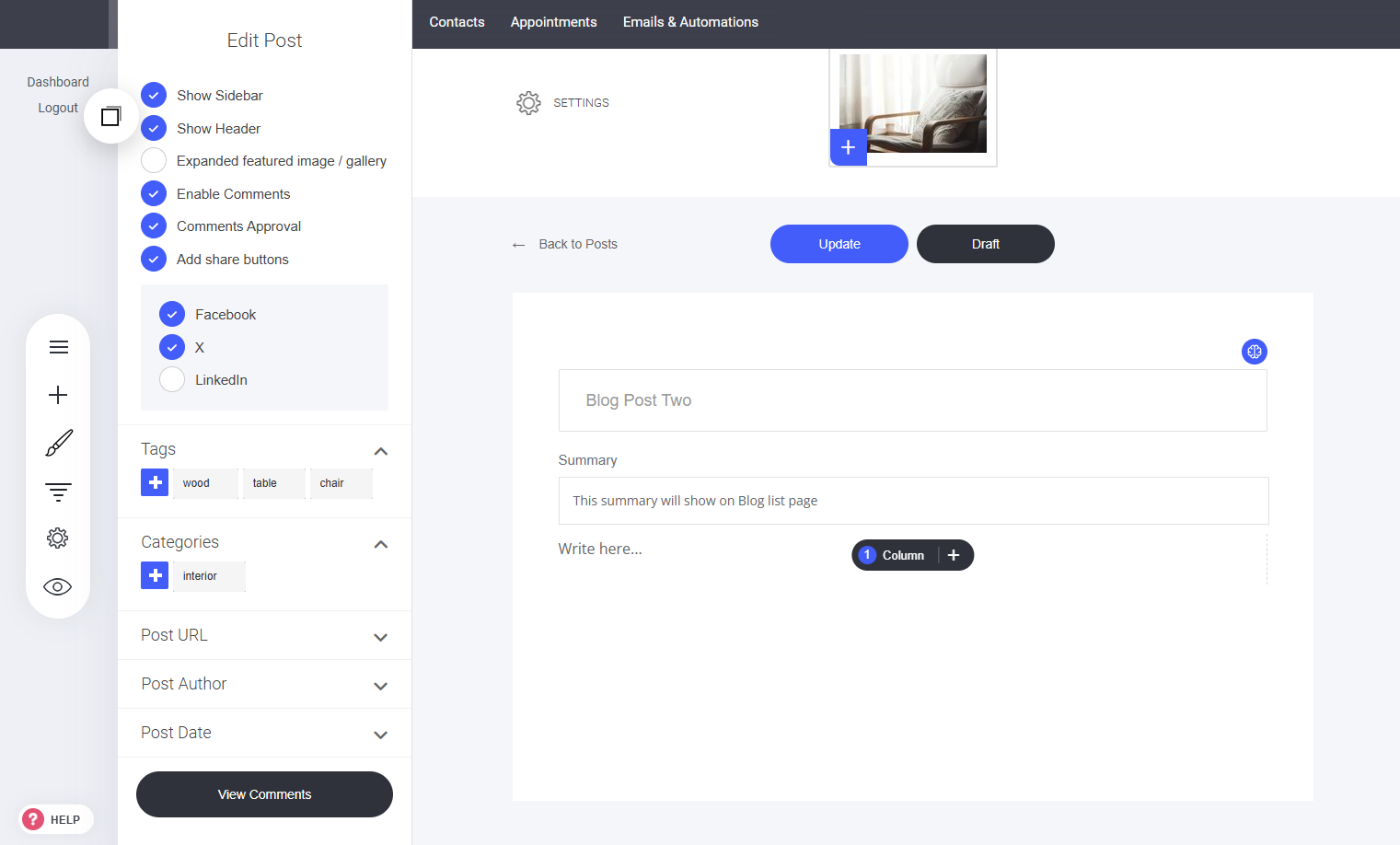
Article Settings Menu:
Show/Hide Sidebar
Show/Hide Header
Expand featured image/gallery
Enable Comments (Allow readers to submit a comment)
Comment Approval (If selected, you must approve any new comments before they are displayed on the article page.)
Add/remove share buttons
Last updated