

Facebook CAPI
The Facebook Pixel helps you track events on your website or funnel, enabling you to optimise your advertising campaigns and make your Facebook ads more relevant to your audience.
With CAPI integration, you can bypass browser limitations and send server-side event notifications directly to Facebook, ensuring accurate tracking without relying on a user's device.
Key Facebook Pixel Events:
PageView – Triggered on every page visit.
Lead – Captures form submissions or appointment bookings.
AddToCart – Records when a product is added to a cart (including title, price, currency, and quantity).
InitiateCheckout – Tracks when a user starts the checkout process, passing order details.
Purchase – Logs completed checkouts, including upsell/down-sell conversions.
ViewContent – Detects when a visitor views a product, ideal for personalized ads.
CompleteRegistration – Captures when a visitor creates an account on your site or funnel.
Using CAPI and Facebook Pixel together, businesses can gain precise tracking and deeper insights to optimize conversions and ad performance!
Important
If you added the Facebook Pixel code manually from the Custom Code Area in your website, you'll need to remove it to use the native integration.
Removing the custom code won't have any negative effect on your data in Facebook, as long as you enable the native integration
Connect your Facebook pixel
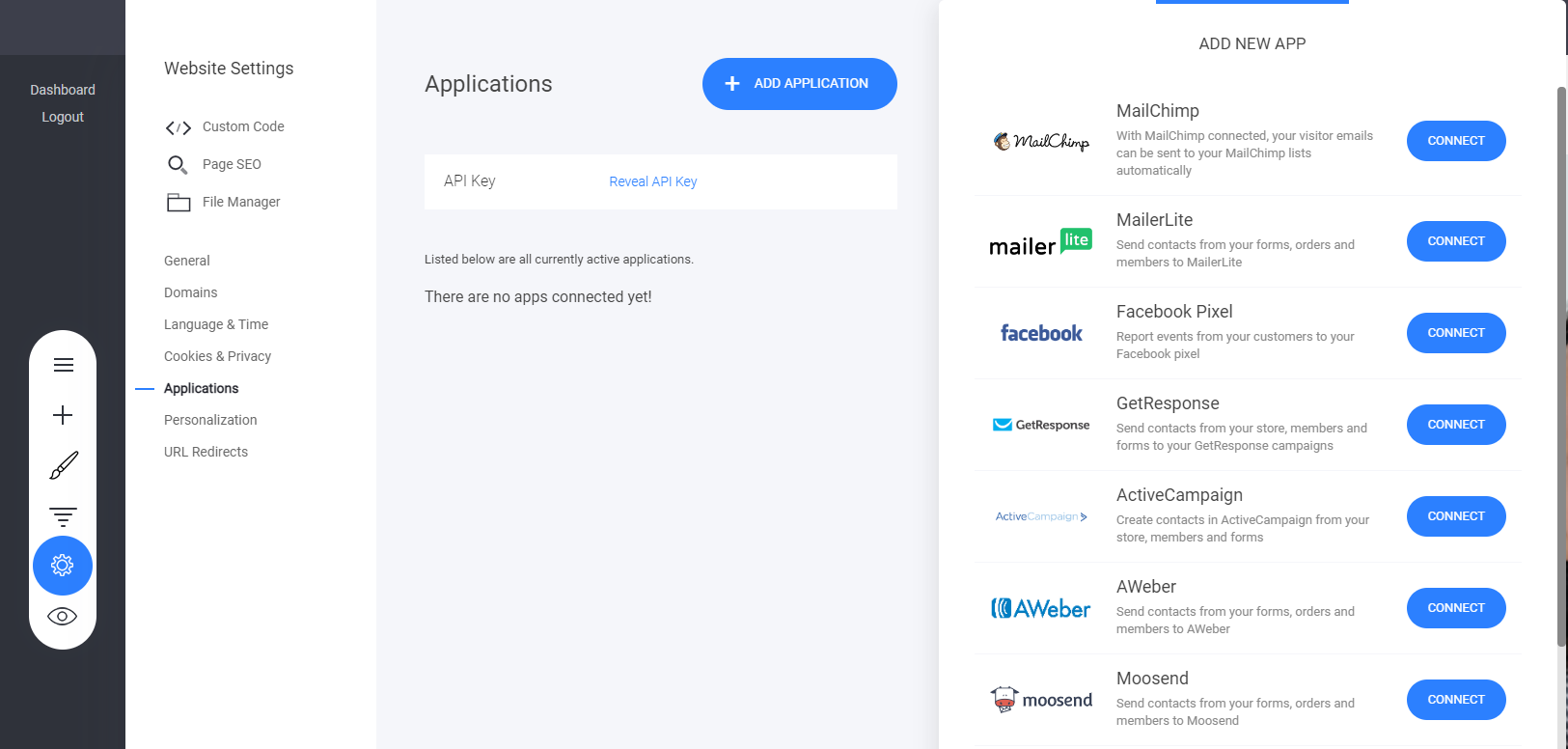
Go to Dashboard > Setting > Applications and the Facebook application:
Add your pixel
Once you have selected the Facebook application > Add your Facebook Pixel - then follow the instructions below to add your conversions API access token.

Enabling Conversions API 'CAPI'
Facebook Conversions API (formerly known as Facebook Server-Side API) is a Facebook tool that lets you share key web events, or customer actions, directly from our servers to Facebook without relying on the customer browser.
Facebook Conversions API works with your Facebook Pixel to help improve the performance and measurement of your Facebook ad campaigns. This is all done without having to rely on browser-based tools like cookies.
Nowadays, websites with third-party trackers will have to adapt since the consumer privacy laws become stricter. Tracking browser events is becoming harder and much more unreliable due to ad blockers or privacy settings.
The Conversions API can help bypass these issues while still providing key information to keep your social media marketing campaigns on point.
It's highly recommended to enable the Facebook Conversions API!
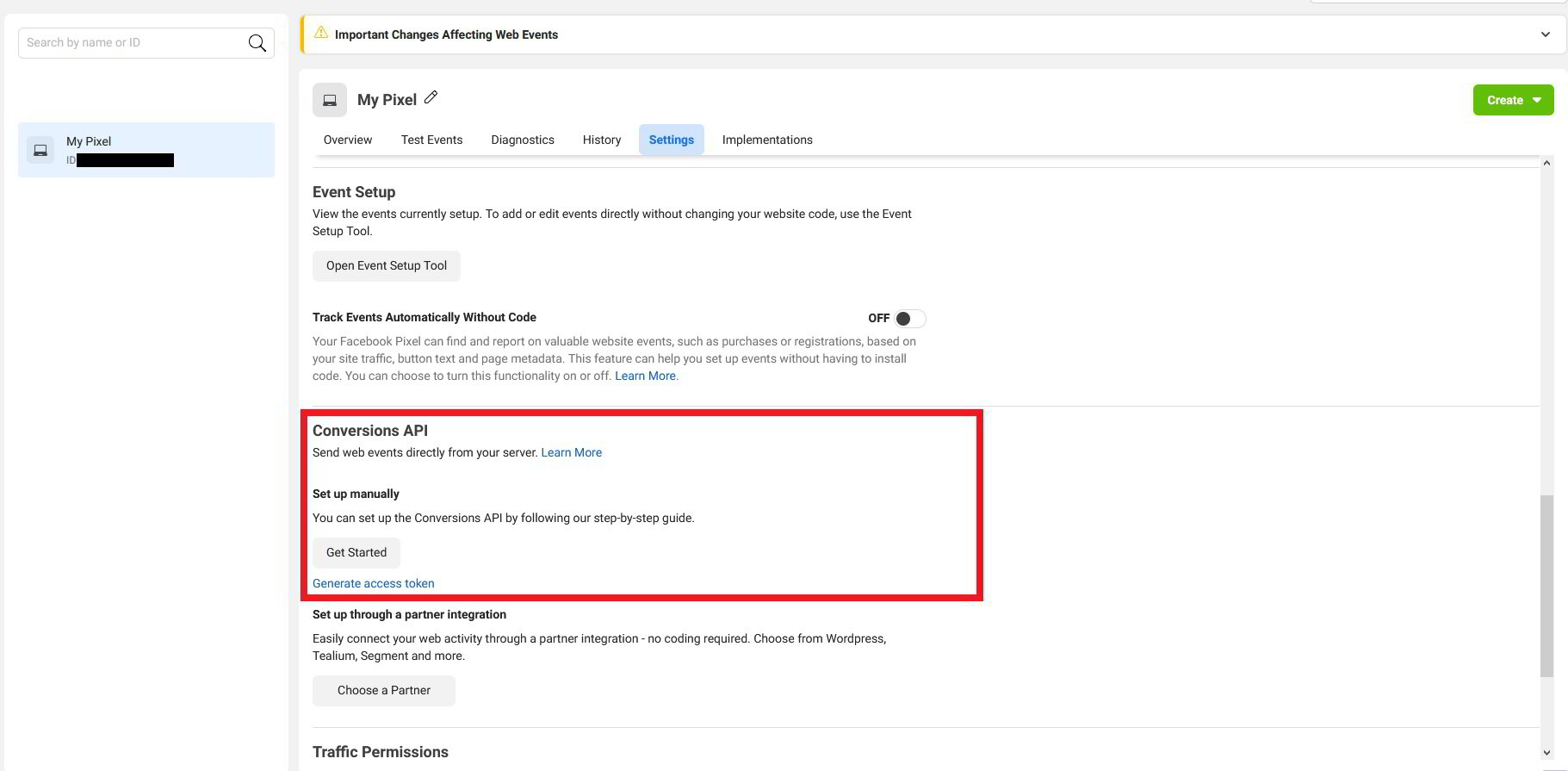
You will be prompted to enter an Access Token to use with the API. To obtain one, visit your Facebook Pixel, go to Settings and scroll down to the Conversions API area. under "set up manually" you should click on Get Started or Generate Access Token. Copy the generated token and paste it into your website settings:
Once you have successfully added your Facebook pixel, you will now see a product feed URL. This URL is used to create your Facebook and Instagram shops directly from your eCommerce store inventory

That's it! Save the Facebook settings and you're done - events will be automatically reported from now on. Keep in mind that events triggered on your website take about 20 minutes to show in your pixel stats
Last updated