

Exporting contacts
Easily export your contacts to an Excel spreadsheet for organization and analysis.
Go to the "More" Tab – Access additional account settings.
Select "Export" – Choose this option from the drop-down menu to initiate the process.
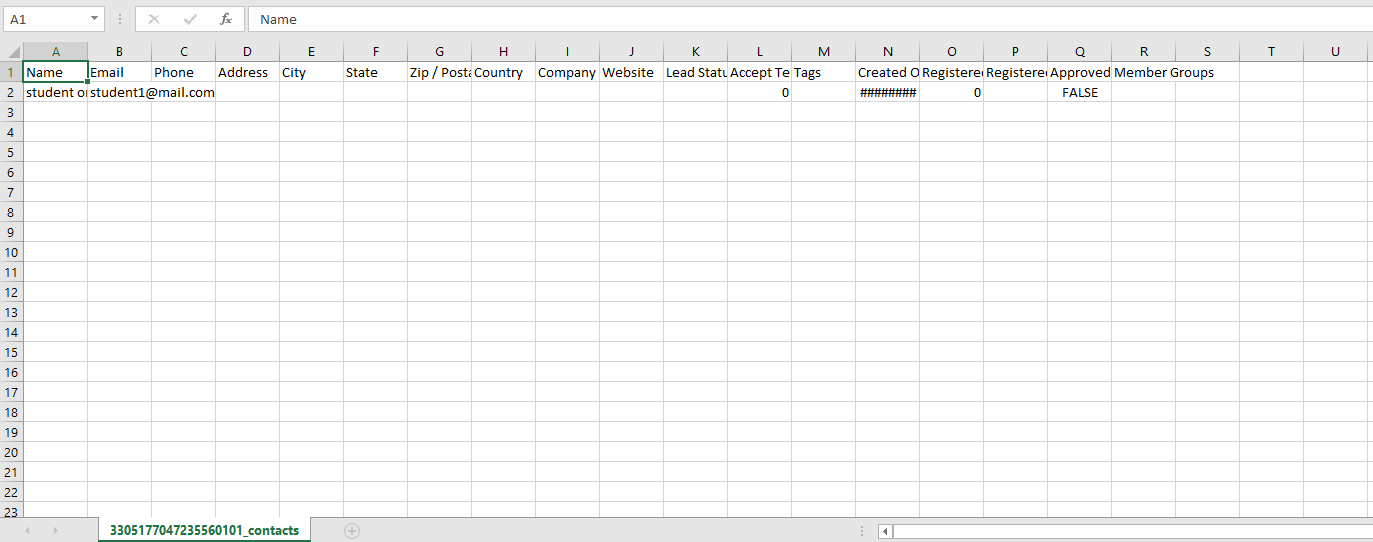
Download Your Contact List – The data will populate your spreadsheet automatically.
A seamless way to manage and store your contact details efficiently!
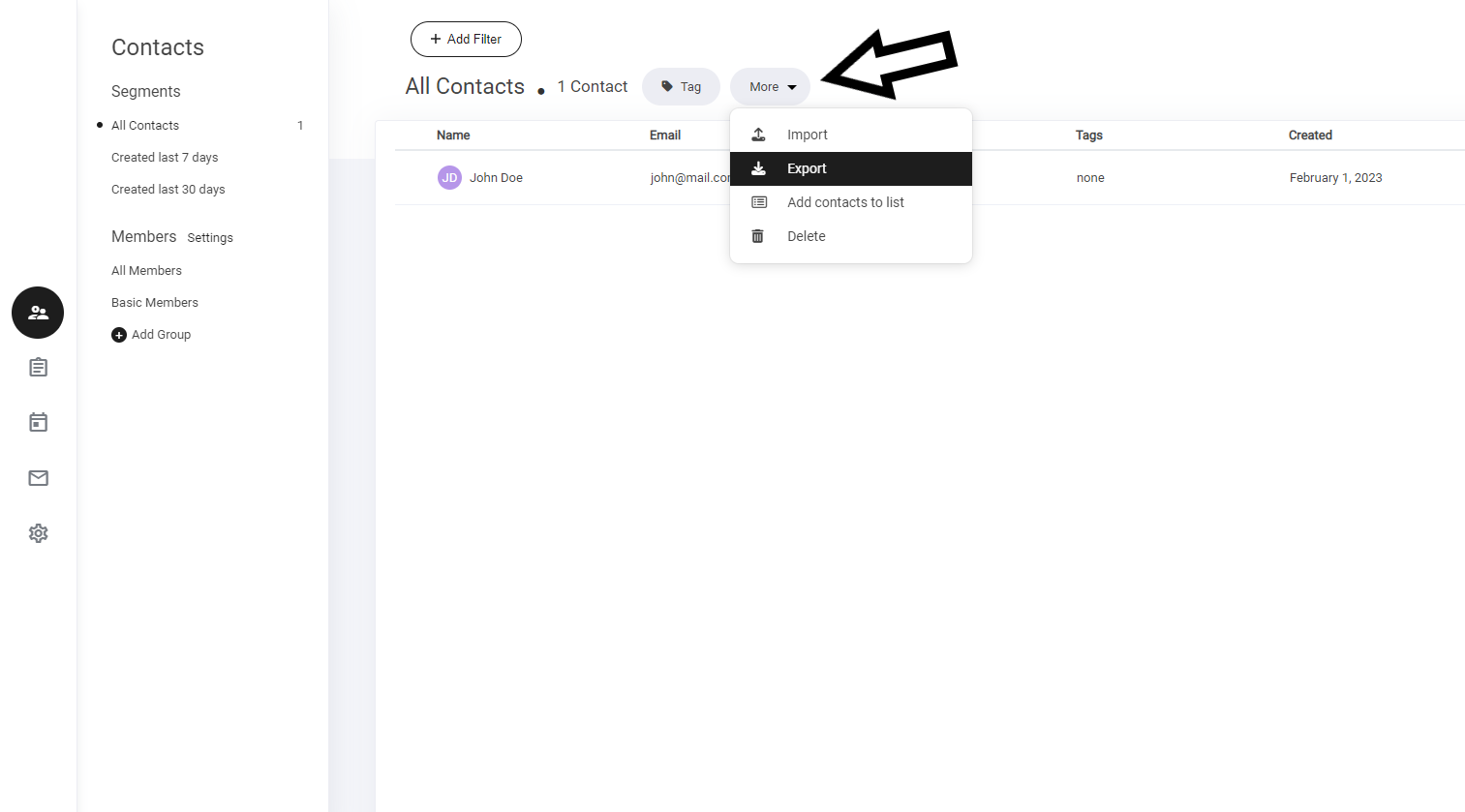
Now a new window will open within the export section. To export your contacts - select export. Your contacts will now be added to your excel spreadsheet. Including all contact details from tags to membership data.

Last updated