

Importing contacts
Bringing in existing contacts helps populate your account efficiently with all your past and current details.
Go to the "More" Tab – Locate the additional options in your account dashboard.
Select "Import" – Choose this from the drop-down menu to begin the process.
Upload Your Contact List – Ensure data is formatted properly for a smooth transition.
A quick way to keep your contacts organized and readily accessible!
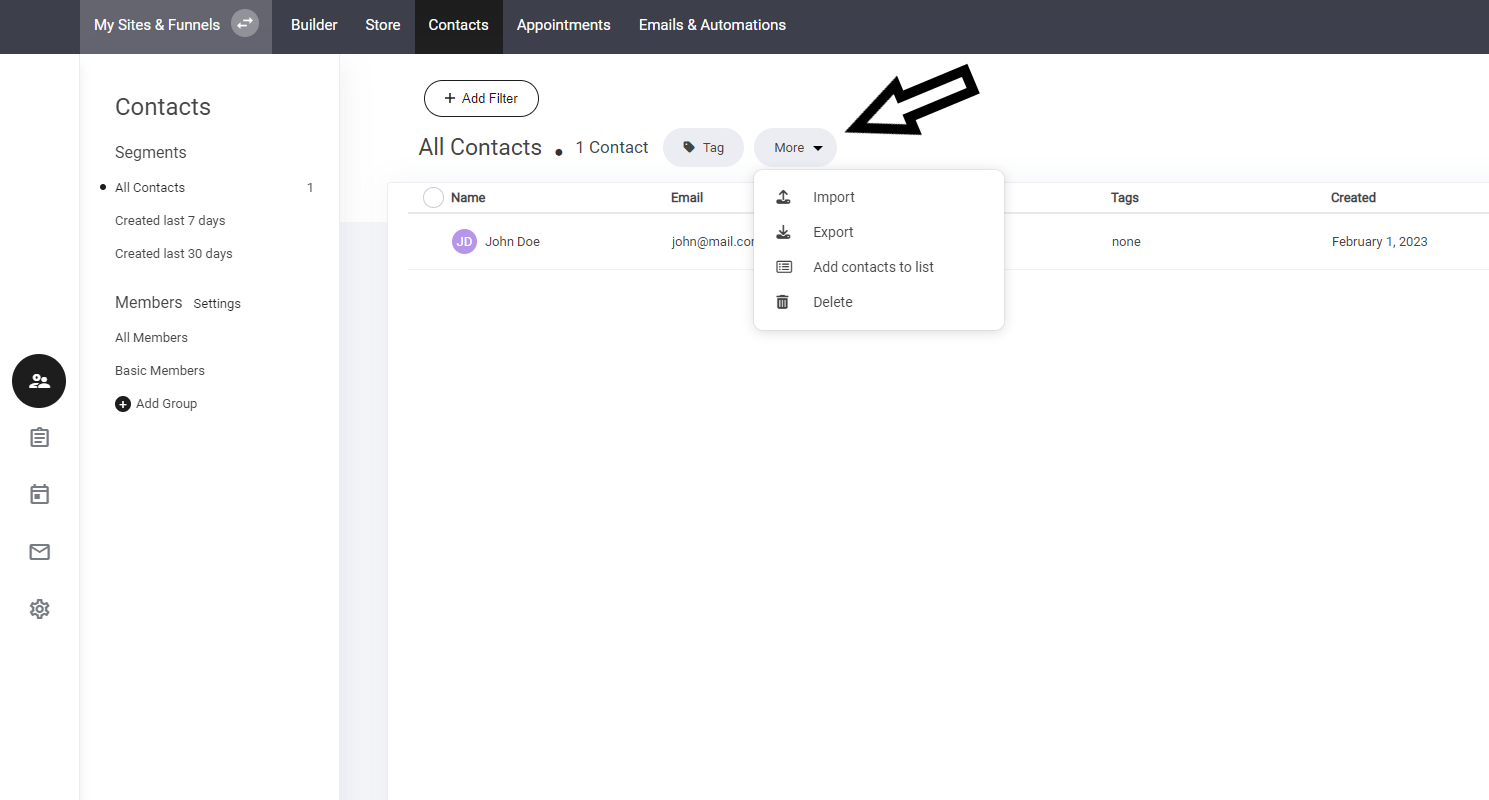
Now a new window will open within the import section. To import your contacts - select Import now and simply add your CSV file containing your client information and that's it. All your contacts will now be automatically added to your Contacts area.

Last updated